Five Evening Reflection Questions to Pair With Sleep
Evening journaling usually stalls for one reason: staring at an empty text box at ten o'clock feels like homework. Replacing open-ended essays with five focused questions turns daily reflection into a calm three-minute check-in. When those reflections sit on the same calendar as your sleep and dreams, patterns between daytime stress and nighttime rest stop hiding in separate apps.
Answer five concrete prompts one at a time
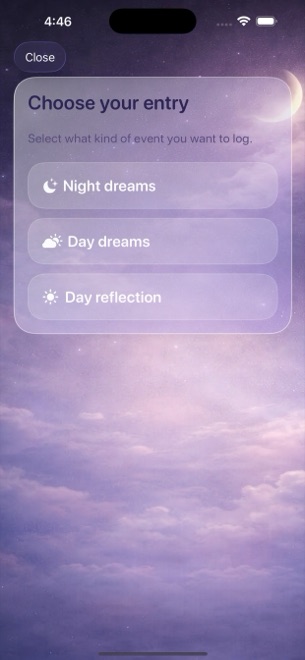
A good evening prompt asks about observable moments rather than demanding a grand life lesson every Tuesday. In Dreams Calendar, choosing Day Reflection opens a step-by-step wizard built around five grounded questions.
Seeing one prompt per screen keeps your answers brief and honest. If a day was completely ordinary and nothing felt particularly hard, you can write one sentence or skip straight past that step without friction.
- How did you spend the day? Note the main anchor — work, travel, errands, or rest — in a line.
- What was hard? Name the actual friction point instead of letting vague frustration linger at bedtime.
- How did you react? Notice what you did in the moment without grading yourself.
- What did you enjoy? Record one small bright spot before the hard moment crowds it out.
- How do you feel now, plus which emotion chips fit? Close the loop right before winding down.
Why putting evenings and nights on one calendar matters
Most people keep daytime notes in one app and sleep habits in another, so they never notice that restless three-awakening nights follow a specific kind of afternoon. Placing amber day reflections and violet night-dream blocks on the same timeline makes the sequence visible at a glance.
Dreams Calendar keeps its own dedicated calendar views — Month, Day, Year, Multi-day, and List — and never reads or imports your work meetings from the iOS system Calendar.
- Day reflections sit at the time you logged them alongside night sleep blocks.
- Multi-day view shows several days and nights side by side on real hour lines.
- Zero mixing with work appointments or system calendar alerts.
Keep evening entries short enough to sustain
Writing four hundred words on day one and quitting by day four teaches you far less than writing two crisp sentences for thirty evenings. Treat each wizard card like a postcard rather than a diary chapter.
Closing the day on paper or glass before getting under the covers also clears unfinished mental loops that often lengthen sleep latency when the lights go out.
Look back by date when a week blurs together
Because entries live on a true calendar rather than an endless chat feed, finding last Thursday's reflection takes two taps from Month or Year view. You can open the day, read how you reacted to a difficult afternoon, and immediately see how you slept six hours later.
Over a month, that pairing grounds your memory in what you actually wrote at the time instead of rewriting the past through today's mood.
Does Dreams Calendar import meetings from my Apple Calendar?
No. Dreams Calendar never asks for system Calendar permission; it is a standalone calendar solely for your dreams, sleep logs, and reflections.
Can I skip one of the five reflection questions on a quiet day?
Yes. Every step in the Day Reflection wizard can be skipped and saved with whatever answers or emotion chips you chose.
Is there a second evening push notification for reflections?
The app sends only one configurable daily reminder so it never nags you; set that single reminder for morning or evening depending on which habit needs the cue.